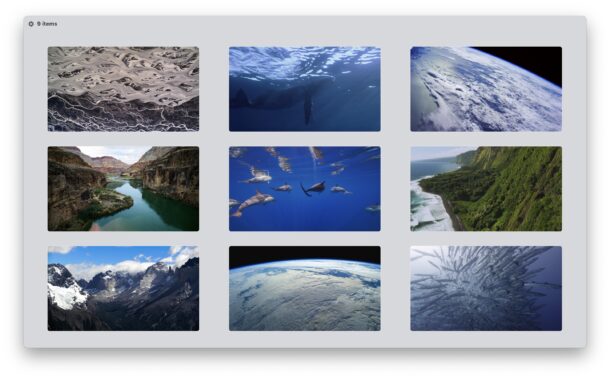
If you have installed macOS Sonoma onto your Mac, you may be curious about the new moving wallpapers and Aerial screen savers, and their location on your Mac and within the file system. The new screensavers are really quite beautiful, and as you unlock a Mac you will find they seamlessly transition to your wallpaper (this is optional, but it’s a cool trick when enabled). The end result is a moving wallpaper effect that looks beautiful, and keeps your wallpaper freshly updated, depending on whenever the screensaver was stopped.
If you’re wondering where the location of the Aerial screen saver and moving wallpapers reside in MacOS Sonoma, read along to better understand where these files are located, how you can download them, and how you can access them directly.
First, understand that the Sonoma aerial screen savers and moving wallpapers are not all stored on your Mac initially by default.
Instead, you must first download them to your Mac by selecting one within the System Settings > Screen Savers (or Wallpapers) section. 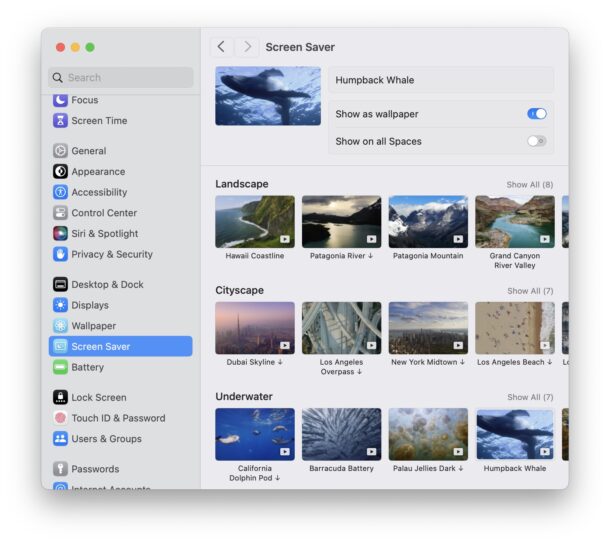
When you select a new wallpaper or screensaver, it will download to MacOS to a location within the Finder. So, where is that location?
Now that you understand how to get the aerial screen savers and moving wallpapers onto your Mac, you’re ready to locate them within the Finder and file system.
The directory that contains the MacOS Sonoma Aerial Screen Savers and moving wallpapers is the following:/Library/Application Support/com.apple.idleassetsd/Customer/
And how might you access those files, you ask? Of course we’ll show you.
You can access the directory containing these files easily by doing the following:/Library/Application Support/com.apple.idleassetsd/Customer/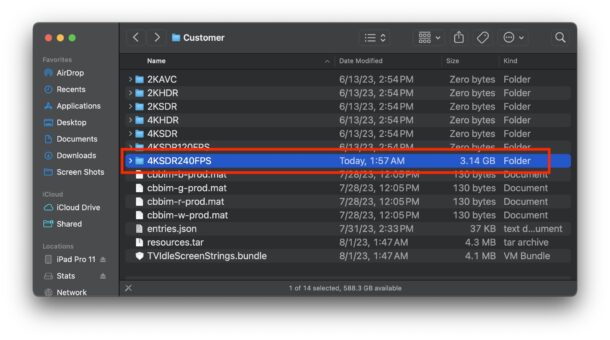
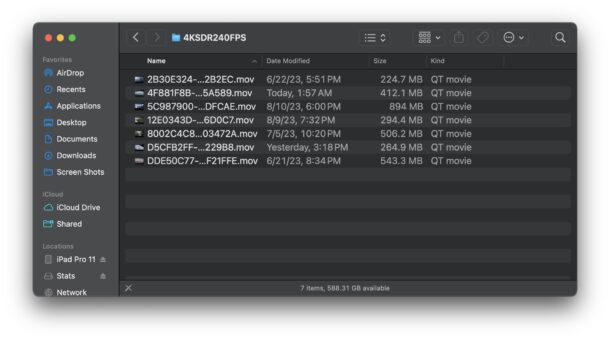
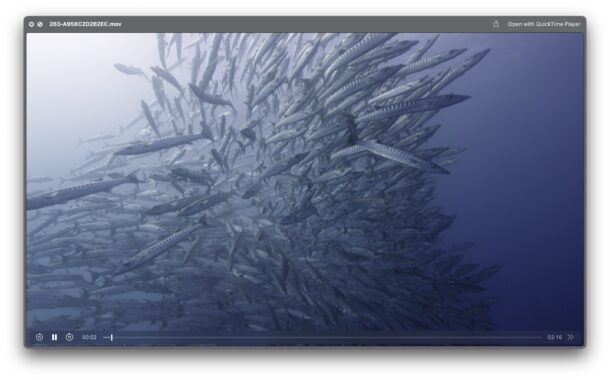
There you go, you’ve found the native file location of the downloaded Aerial screen savers and the accompanying Aerial moving wallpapers in macOS Sonoma.
You might be thinking that this entire directory structure and naming format is odd, like calling the parent directory “Customer” considering there is no purchasing involved, or labeling the videos as a bunch of hexadecimal gibberish, but let’s be honest, the whole directory structure doesn’t exactly make sense and is clearly not intended to be user accessible. This is a change from longstanding traditions in MacOS where locations of screen savers and desktop wallpapers are much more obvious and intuitively labeled on the Mac. But, not with these new Aerial moving wallpapers and screen savers in macOS Sonoma, and presumably moving onward as well.
Do you have any insight, suggestions, tips, or thoughts about the location of these moving wallpaper files and screen saver videos? Let us know in the comments.
Get more of our great Apple tips, tricks, and important news delivered to your inbox with the OSXDaily newsletter.
You have successfully joined our subscriber list.
» Comments RSS Feed
Thanks! I know how to get Apple TV to briefly show a caption that gives me a little information about what I’m seeing. Is there a way to do that in Sonoma?
The only way I know of to get information about the screen savers in Sonoma is through the Settings panel where you can select them individually, then it tells you where the video is from.
I found I had 23GB of Screensaver/Wallpapers, more than I care to have hanging around. When deleted them, after a logout/login the System Settings showed them as not downloaded, hence a start over.
… Jeff
About OSXDaily | Contact Us | Privacy Policy | Sitemap
This website is unrelated to Apple Inc
All trademarks and copyrights on this website are property of their respective owners.
© 2023 OS X Daily. All Rights Reserved. Reproduction without explicit permission is prohibited.
