
© 2024 SamMobile
SamMobile has affiliate and sponsored partnerships. If you buy something through one of these links, we may earn a commission.
Last updated: February 1st, 2024 at 14:35 UTC+01:00
With the latest Galaxy S24 series running One UI 6.1, Samsung has enriched the user experience through a couple of new AI-powered wallpaper options. Previously, we overviewed the Generative wallpaper feature, but Samsung’s flagships have yet another AI-powered wallpaper tool up their sleeve. It’s called Photo Ambient Wallpaper.
This new wallpaper type uses “advanced intelligence” to change your lock and home screen background according to the time of day and the weather in your location. If it’s raining outside, it’ll also rain on your phone’s wallpaper. If it’s nighttime, your wallpaper reflects that. Here’s everything you need to know about this Galaxy S24 feature.
Use Photo Ambient Wallpaper on Galaxy S24
First things first, the reason why you may have missed this new Photo Ambient Wallpaper option when you were browsing the latest Galaxy S24 wallpapers is that it is a hidden Labs feature.
Before you can use Photo Ambient Wallpaper, you have to open the Settings app on the Galaxy S24, access “Advanced features,” go to “Labs,” tap “Photo Ambient Wallpaper,” and set the toggle switch ON.
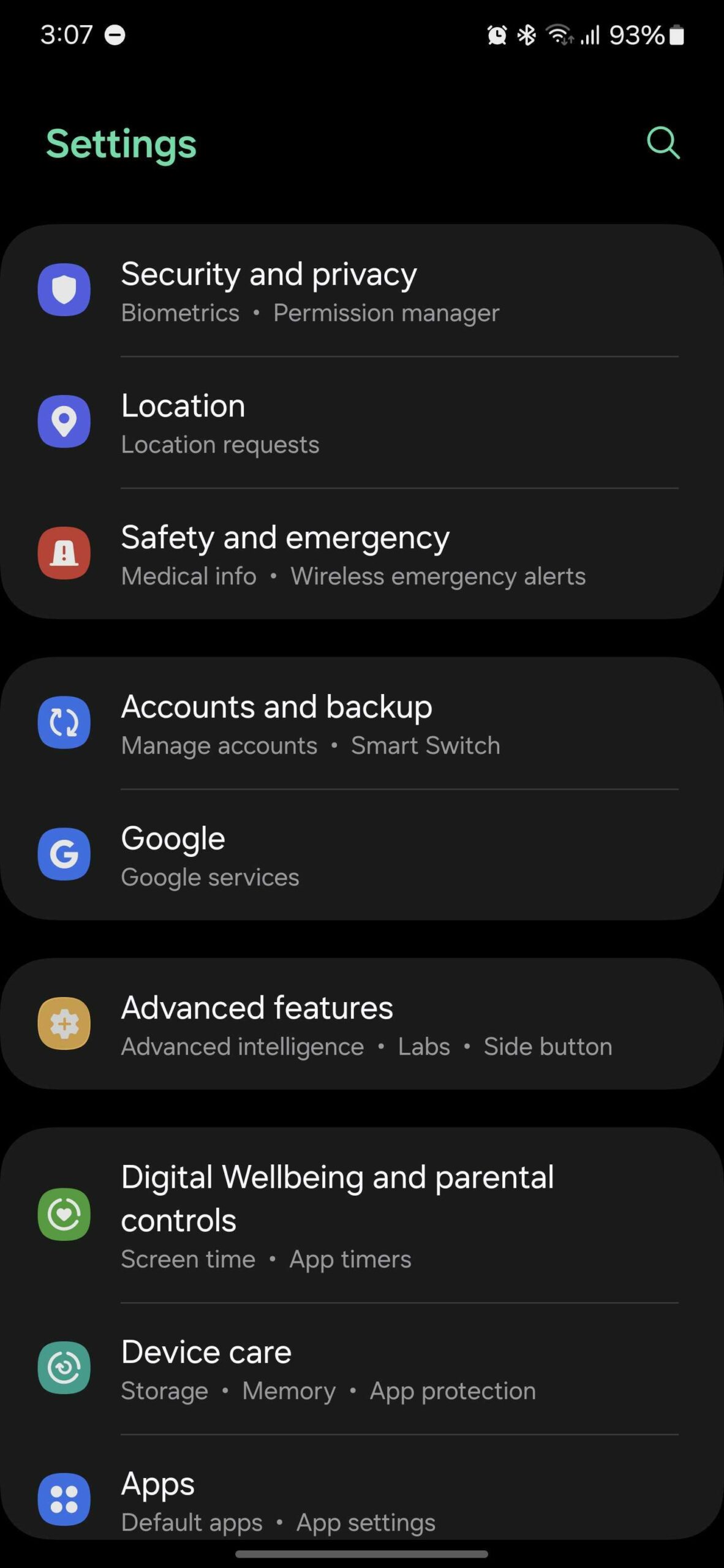
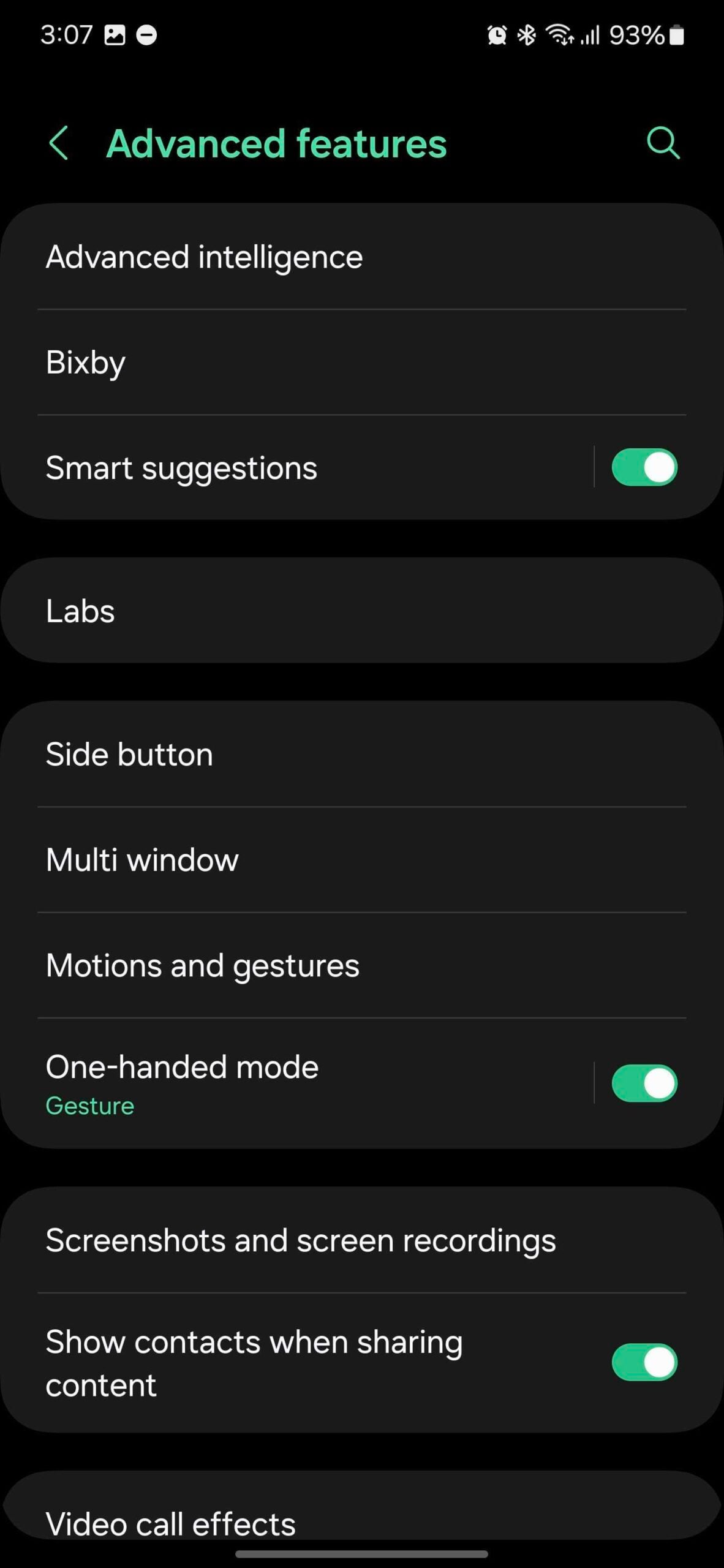
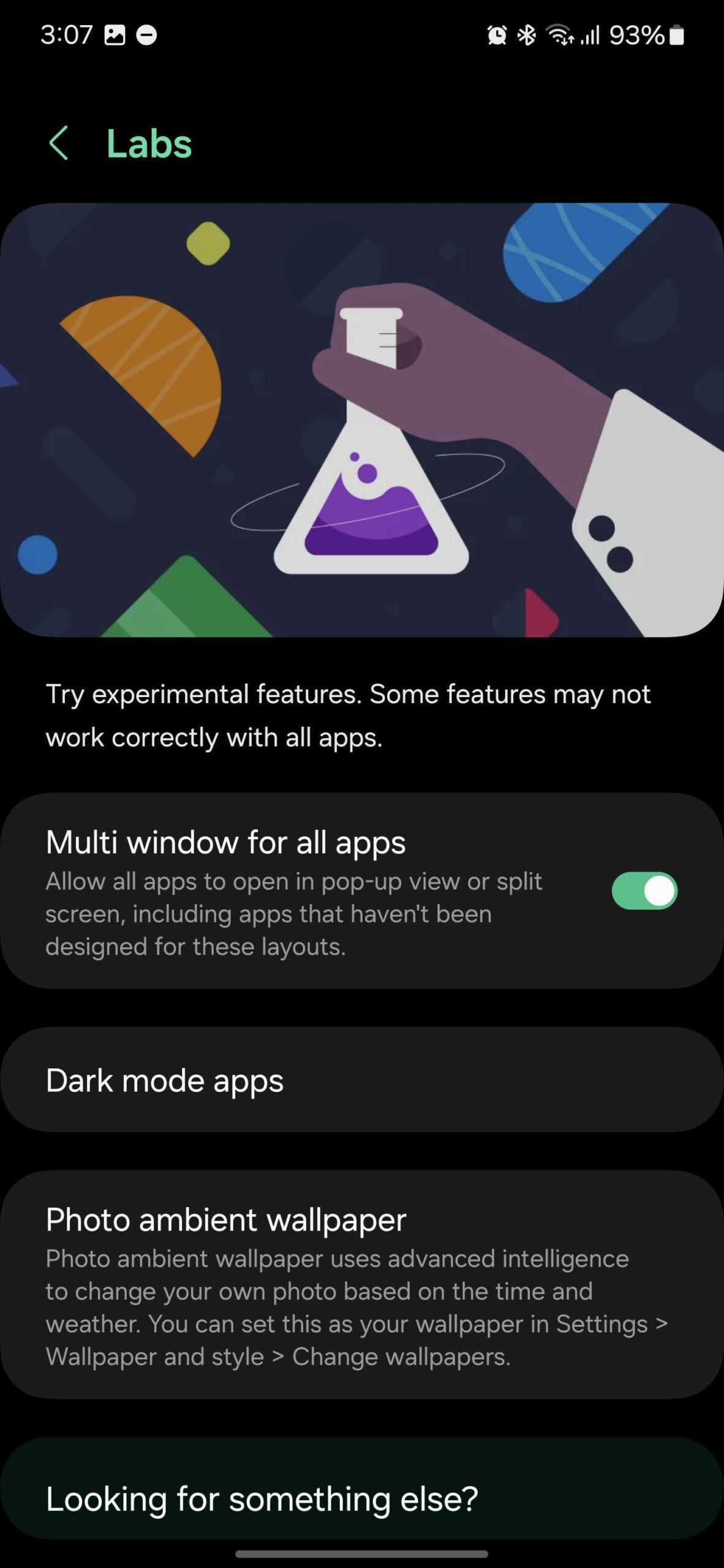
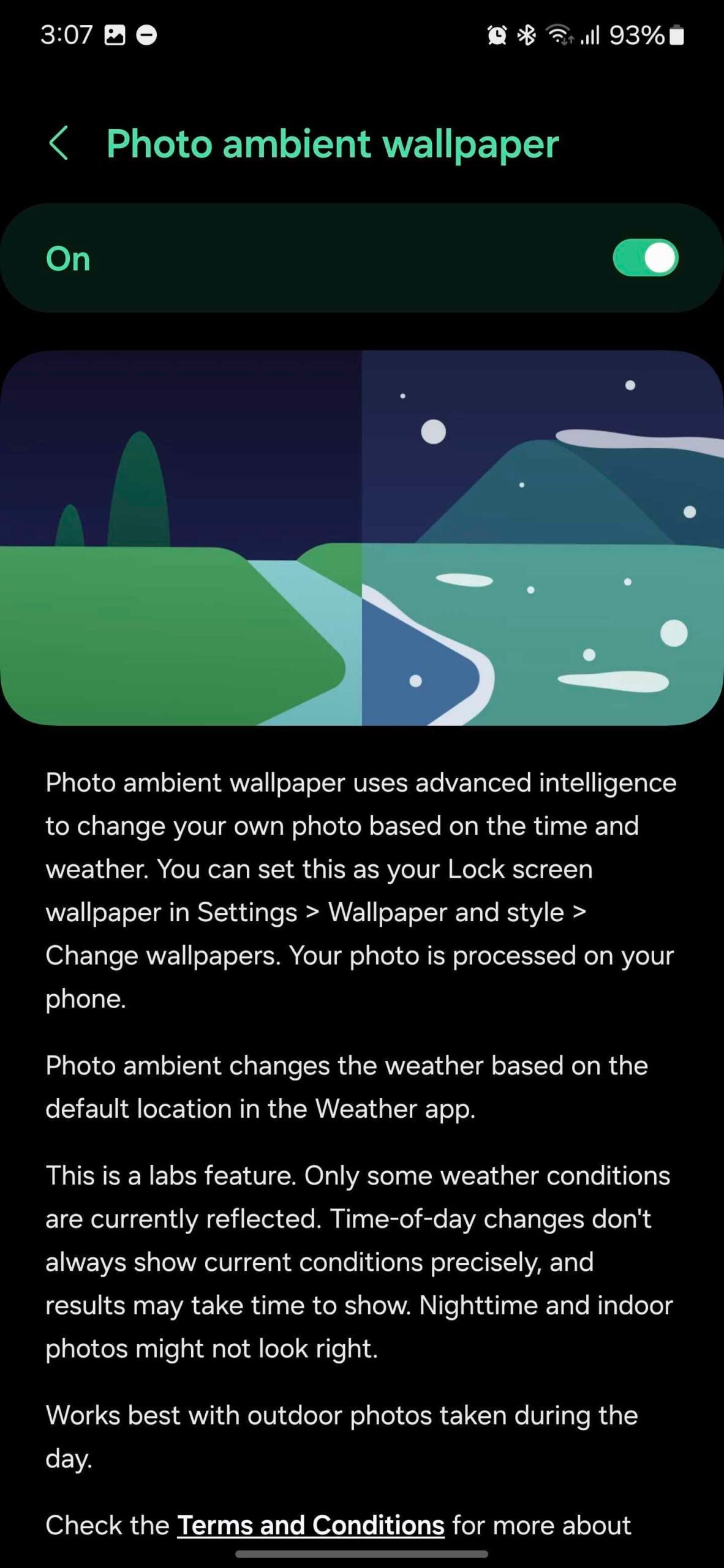
You should note that because this feature is in development, it may feel incomplete in places. For example, only some weather conditions are currently reflected by the Photo Ambient Wallpaper, and the time of day is not always accurately represented.
Now that you have enabled this Labs feature, you can set your Photo Ambient Wallpaper. To do this, go to the home screen and pinch it, then select “Wallpaper and style,” tap “Change wallpaper,” and select the new “Photo ambient” category under “Creative.”
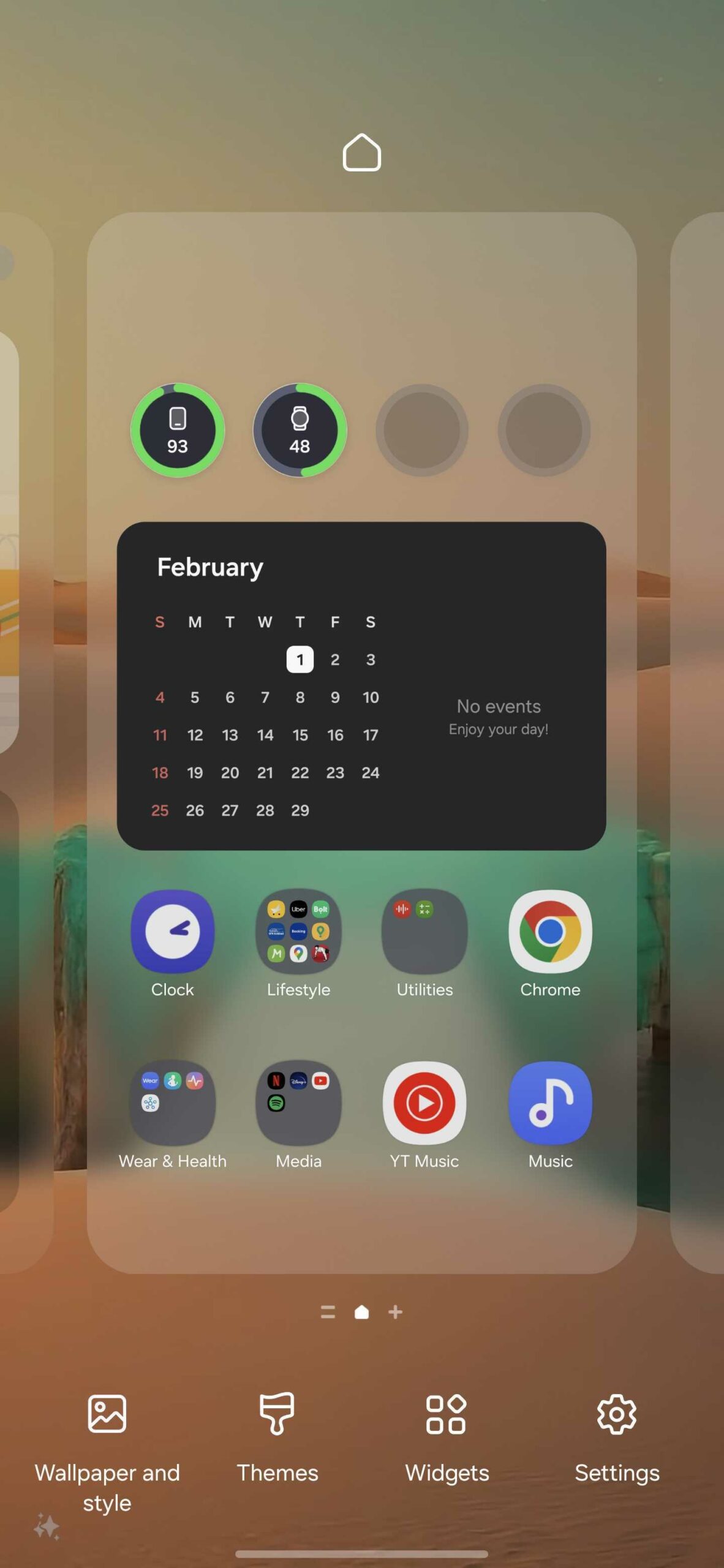
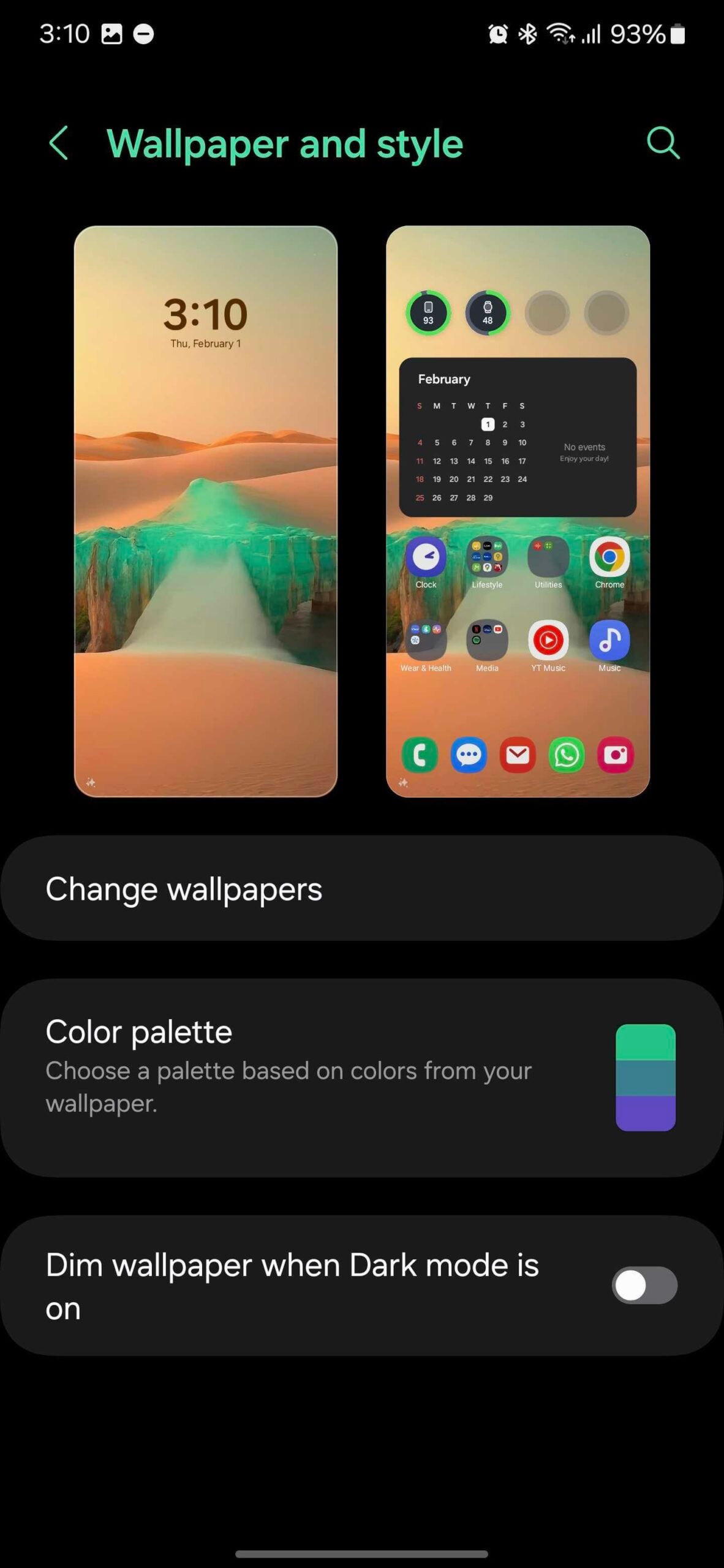
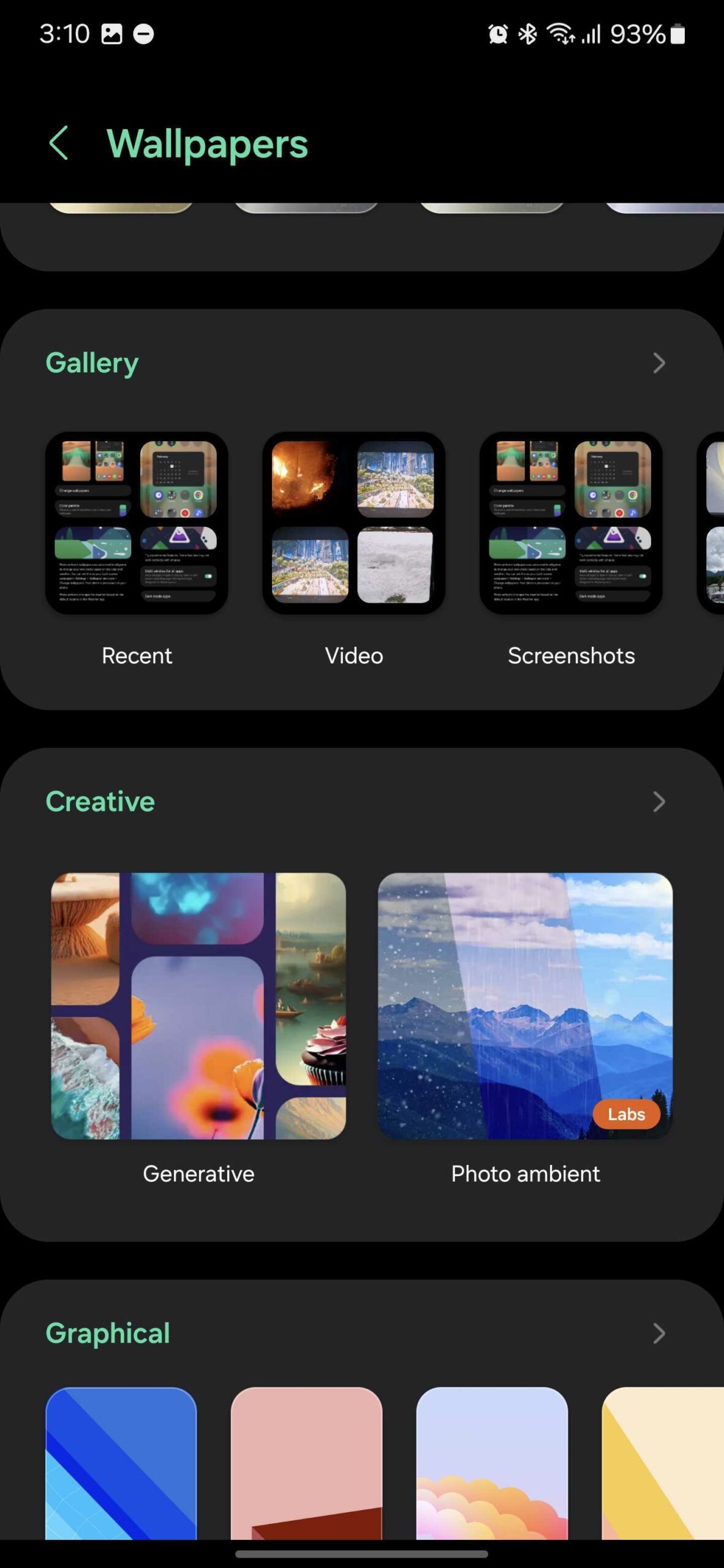
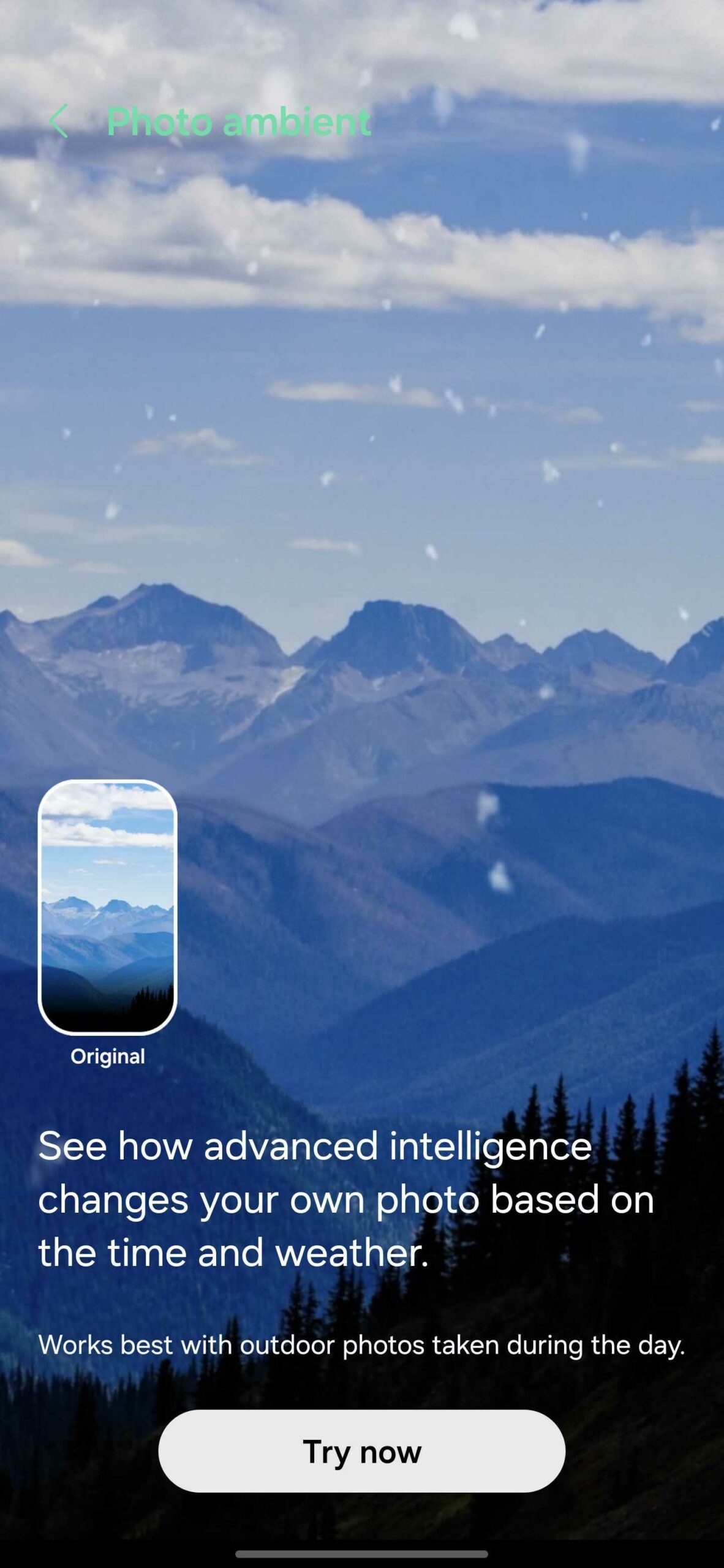
Next, select a photo you want to use as your Ambient Wallpaper from the Gallery app. And lastly, you can tap the “Play” button in the lower-left corner to preview weather effects. Tap “Done” when you’re ready.

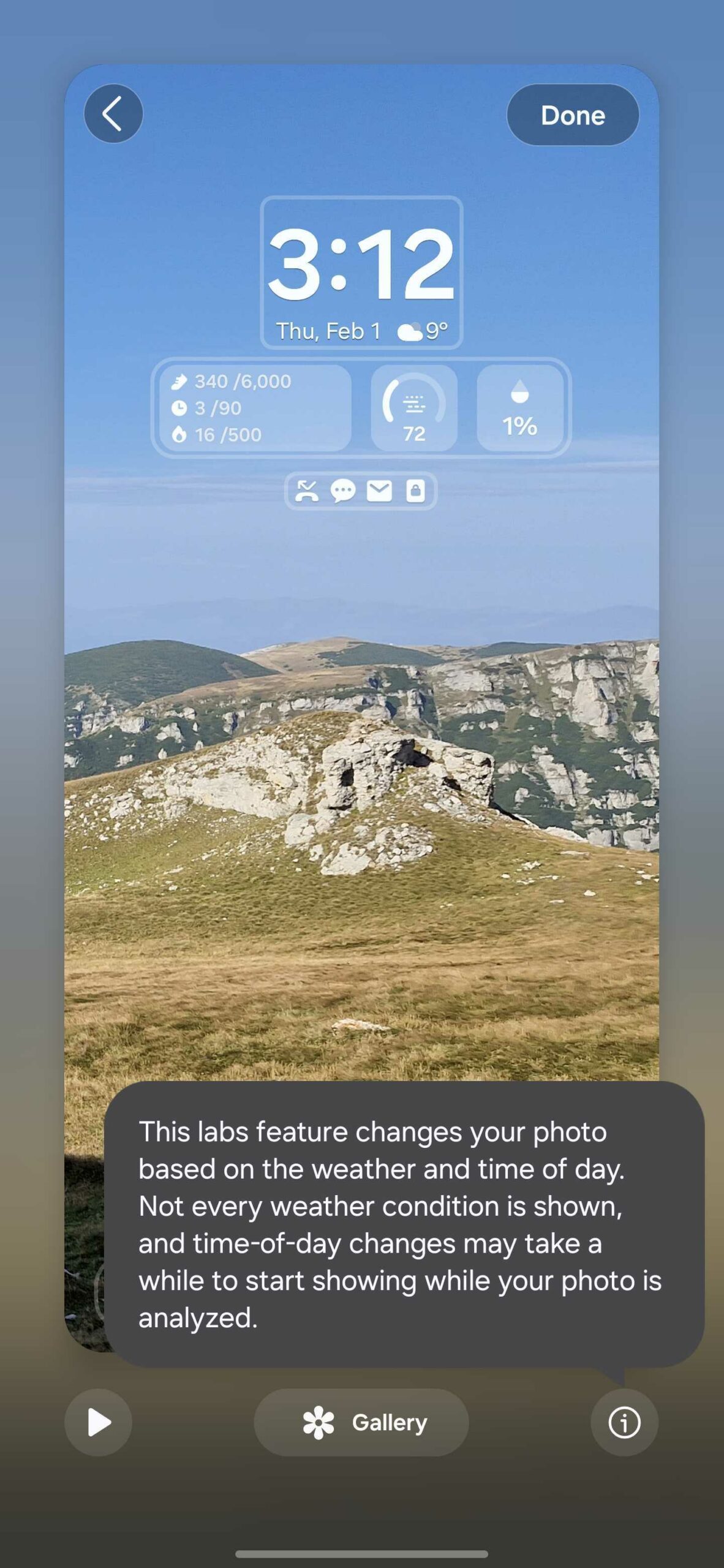
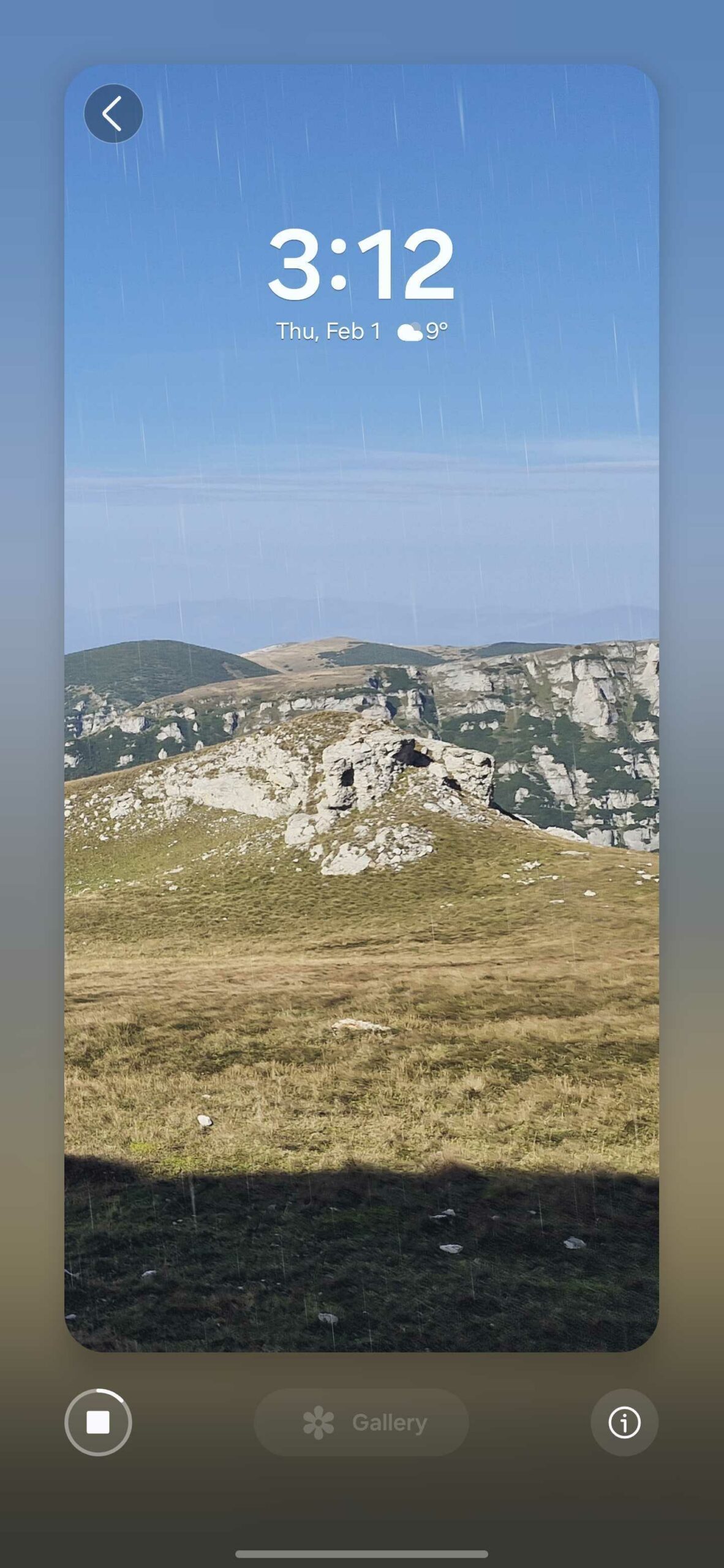
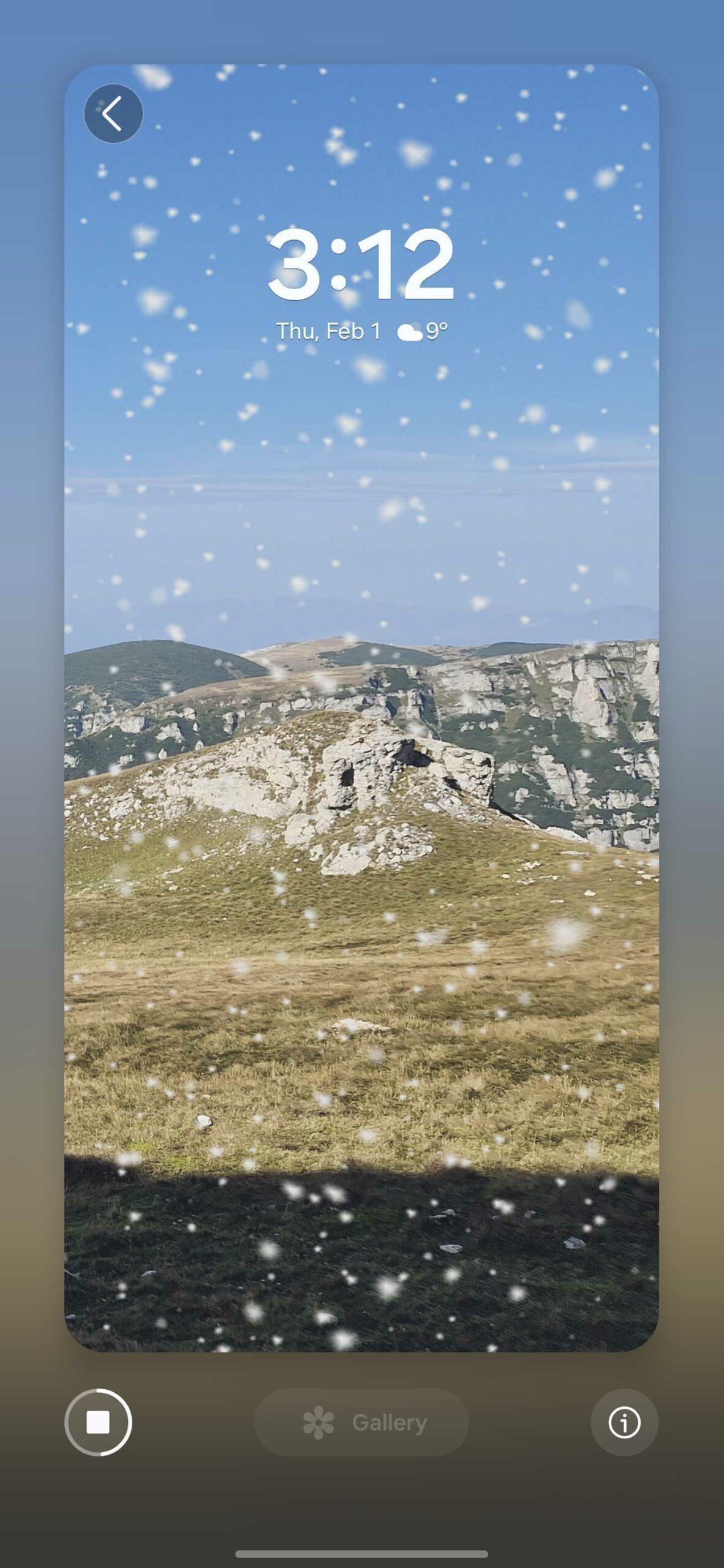
Photo Ambient mode doesn’t work with Generative wallpapers. It only works with photos from your Gallery, and you will get better results when using outdoor photos. This is a Labs experimental feature, which means it may get improvements in time.
You might also like
Samsung launched the Galaxy S24 series last month and following a pre-order period, the devices went on sale across the globe yesterday. The company is understandably seeing the most interest in the Galaxy S24 Ultra, the top-of-the-line device that’s also the first flagship in the Galaxy S series to have a Titanium frame. One would […]
Over the past few years, Samsung has worked on improving its smartphones in several ways, including display and cameras, software features and smoothness, as well as build quality and repairability. The Galaxy S24 Ultra achieves a near-perfect repairability score, and it looks like the base Galaxy S24 model is just as easy to repair. A […]
Many Galaxy S24 pre-order customers who received their new phones before the official January 31 release date took to Reddit and online forums to bring a display issue to Samsung’s attention. The good news? Samsung appears to know the problem exists and is working on a fix, as confirmed by the company’s chat support agents. […]
Samsung’s pre-order window for the Galaxy S24 series is closed. The Galaxy S24 is officially on sale, and more buyers are now getting the latest phones delivered to their mailboxes. You probably know the drill if you’ve upgraded from an older Galaxy phone model to the Galaxy S24. You’ll likely unbox the Galaxy S24 and […]
Samsung has left out many bits of information about new Galaxy S24 features during its presentation at Unpacked. Although the company touched on the main new additions and changes, some upgrades went unmentioned. To us, experiencing the Galaxy S24 series felt a bit like mining for gold and occasionally finding new valuable nuggets. As we […]
One of the several new AI-based upgrades the Galaxy S24 series has is the ability to summarize and auto-format text. This tool works great for Samsung Notes, regardless of whether or not your Galaxy S24 model has an S Pen. As the wording suggests, the summarize and auto-format tools do exactly what it says on […]
Best picks
Devices
Samsung Galaxy A55
SM-A556E
Samsung Galaxy S24
SM-S921B
Samsung Galaxy S24 Plus
SM-S926U
Samsung Galaxy S24 Ultra
SM-S928B
Samsung Galaxy A14 5G
SM-A146B
Samsung Galaxy A15 5G
SM-A156E
Samsung Galaxy A25
SM-A256E
Samsung Galaxy S23 FE
SM-S711U
January 2024 security patch
Social media
Reviews
Notebook
TV
© 2024 SamMobile